
OPTIS vs SC Product Options (2026 Comparison)
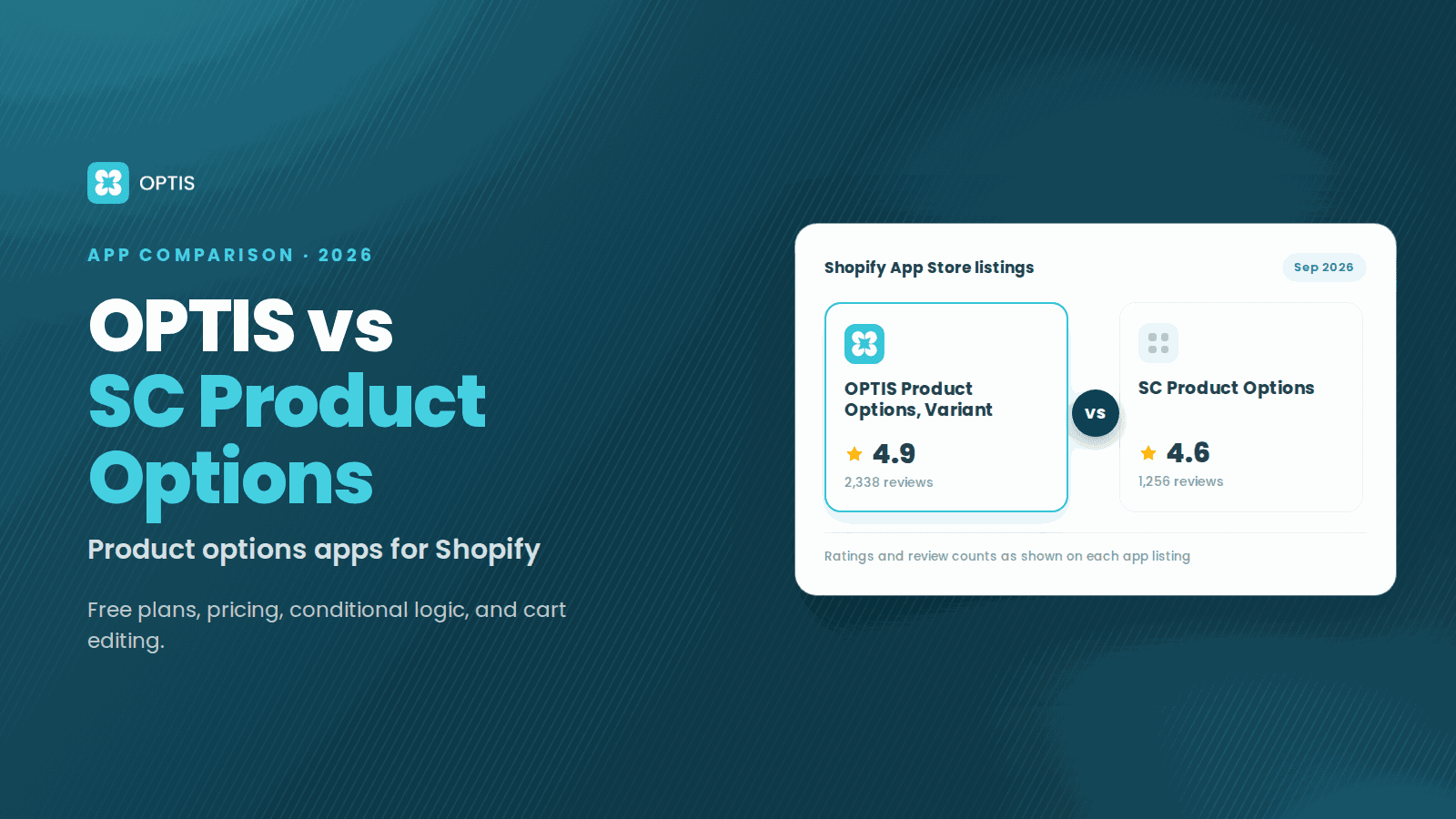
OPTIS and SC Product Options both add unlimited custom options to Shopify product pages, and each wins a different job. OPTIS Product Options, Variant has a free plan for live stores and conditional logic from $9.99/mo. SC Product Options by Shop Circle has been on the App Store since 2012, includes free install and consultation on its $14.99 Basic plan, and offers annual billing. Disclosure: we make OPTIS.
At a glance
- Sources
- Live listings for OPTIS and SC Product Options, reviewed September 14, 2026
- OPTIS
- 4.9★ from 2,338 reviews · Built for Shopify · launched December 2, 2021
- SC Product Options
- 4.6★ from 1,256 reviews · Built for Shopify badge not shown · launched December 14, 2012
- Free plan
- OPTIS: 10 option sets, 10+ types, no conditional logic · SC: free on development stores only
- Entry paid plan
- OPTIS Advanced $9.99/mo · SC Basic $14.99/mo (both 14-day trial)
- Top plan
- OPTIS Unlimited $49.99/mo (Shopify Plus only) · SC Premium $39.99/mo
- Method
- Listing and public documentation comparison. We did not run hands-on tests of SC Product Options for this article.
- Disclosure
- We make OPTIS. The sections below name where SC Product Options is the better pick.
In this article
Quick verdict
Both apps cover custom fields, file uploads, swatches, priced options, conditional logic, and cart editing. The differences are which plan unlocks each feature, what help comes with the entry plan, and billing.
| Use case | Better fit | Why |
|---|---|---|
| Live store, zero budget | OPTIS | Free plan with 10 option sets; SC is free on development stores only |
| Conditional logic under $40/mo | OPTIS | Included in Advanced ($9.99/mo); SC lists it on Premium ($39.99/mo) |
| Setup help and yearly billing on the entry plan | SC Product Options | Basic ($14.99/mo) lists free install and consultation, 24/7 live chat, and a $149.99/year option |
| Shopify Plus with done-for-you help | OPTIS | Unlimited ($49.99/mo) includes a customization service and 1-on-1 support |
Side-by-side specs
For the wider field (EasyFlow, Easify, Globo, Hulk, Zakeke), see our full roundup of product options apps.
| Attribute | OPTIS Product Options, Variant | SC Product Options |
|---|---|---|
| Developer | BSS Commerce (listed as OPTIS) | Shop Circle |
| Built for Shopify | Yes | Badge not shown on the listing |
| App Store rating | 4.9★ from 2,338 reviews | 4.6★ from 1,256 reviews |
| Launched on the App Store | December 2, 2021 | December 14, 2012 |
| Free plan | 10 option sets, 10+ types | Development stores only |
| Entry paid plan | Advanced $9.99/mo | Basic $14.99/mo |
| Mid plan | Platinum $19.99/mo | None listed |
| Top plan | Unlimited $49.99/mo (Plus only) | Premium $39.99/mo |
| Annual billing listed | Not listed | Yes: $149.99 and $399.99 per year (save 17%) |
| Free trial on paid plans | 14 days | 14 days |
Feature-by-feature comparison
Fifteen features, each mapped to the plan that unlocks it. "Not listed" means the sources we reviewed do not mention it, not that the feature is impossible.
| Feature | OPTIS | SC Product Options | Notes |
|---|---|---|---|
| Option types | Free 10+, Advanced 15+, Platinum unlimited | Basic: all option types except swatches | Both cover the common field types |
| Free plan for a live store | Yes: 10 option sets | No (development stores only) | OPTIS wins |
| Conditional logic | Advanced ($9.99/mo) | Premium ($39.99/mo) | OPTIS is $30/mo cheaper |
| Price add-ons | Advanced ($9.99/mo) | Premium: charge for extras | OPTIS is cheaper |
| Image and color swatches | Listed in app highlights | Premium ($39.99/mo) | Both |
| File upload | Advanced: 5 uploads; Platinum: 20 | Basic: file uploads for images and logos (limit not stated) | SC includes uploads at its entry plan |
| Edit options in cart | Platinum ($19.99/mo) | Premium ($39.99/mo) | OPTIS is cheaper |
| Quantity per option | Platinum ($19.99/mo) | Not listed | OPTIS lists it |
| Bulk option-set management | Advanced: import/export | Basic: save options and batch apply | Both handle large catalogs |
| Design customization | Advanced: customize option style | Basic: full design customization | SC includes it at its entry plan |
| Font picker and live preview | Listed in app highlights | Not listed | OPTIS names personalization tools |
| Gift wraps and size charts | Listed in app highlights | Not listed | OPTIS lists both |
| Order and email apps | Not listed | Works with Order Printer and Spently | SC lists these integrations |
| Install help | Unlimited (Plus only): customization service | Basic: free install and consultation | SC includes it at $14.99/mo |
| Support on plans | Free: email and live support; Platinum: prioritized; Unlimited: 1-on-1 | Basic: 24/7 live chat | Both list live support |
Pricing side-by-side
SC Product Options lists yearly billing at $149.99 (Basic) and $399.99 (Premium). The OPTIS listing does not show annual billing. Both apps offer a 14-day trial and bill through your Shopify invoice.
| Plan tier | OPTIS | SC Product Options | Key difference |
|---|---|---|---|
| Free | 10 option sets, 10+ types, no conditional logic | Development stores only | Only OPTIS runs free on a live store |
| Entry | Advanced $9.99: unlimited sets, 15+ types, price add-on, conditional logic, import/export, 5 file uploads | Basic $14.99: unlimited options, custom fields, file uploads, free install and consultation, 24/7 live chat | OPTIS adds conditional logic and price add-ons; SC adds install help |
| Middle | Platinum $19.99: unlimited types, 20 file uploads, option quantity, cart page editing, prioritized support | No middle plan listed | OPTIS has a step between $10 and $40 |
| Top | Unlimited $49.99 (Plus only): customization service, 1-on-1 support | Premium $39.99: charge for extras, conditional logic, edit options on cart page, image and color swatches | SC sells features; OPTIS sells service |
Where OPTIS is the stronger fit
Three scenarios where OPTIS earns its place:
- You want to start free on a live store. The OPTIS free plan covers 10 option sets and 10+ option types. SC's free Developer plan is for development stores, so a live store pays from $14.99 a month.
- You need conditional logic, price add-ons, or cart editing without paying $40 a month. OPTIS Advanced ($9.99/mo) includes conditional logic and price add-ons, and Platinum ($19.99/mo) adds cart page editing and option quantity. SC lists all three on Premium ($39.99/mo). If you are outgrowing Shopify's variant limit, our guide to adding unlimited variants shows the setup step by step.
- You run Shopify Plus and want the setup done for you. OPTIS Unlimited ($49.99/mo) includes a customization service and 1-on-1 support from the BSS Commerce team.
Where SC Product Options is the stronger fit
Two scenarios where SC Product Options is the better choice:
- SC Product Options 4.6★ from 1,256 reviews, on the App Store since 2012
- Free install and consultation plus 24/7 live chat on the $14.99 Basic plan
- File uploads, batch apply, and full design customization on Basic
- Yearly billing on both paid plans, saving 17%
- No free plan for live stores
- Conditional logic, priced options, and swatches need Premium ($39.99/mo)
- No plan between $14.99 and $39.99
- Built for Shopify badge not shown on the listing as of September 14, 2026
- You want install help and a yearly bill from day one. SC Basic ($14.99/mo) lists free install and consultation, 24/7 live chat support, file uploads, and batch apply, and yearly billing saves 17%.
- Your order workflow runs through Order Printer, Spently, or EComposer. The SC listing names these integrations, plus Reorder Master and PageFly. If your packing slips or order emails already depend on those apps, SC fits the stack you have.
Migration guide: SC Product Options to OPTIS in 7 steps
Neither listing mentions a direct import between the two apps, so plan to recreate your option sets by hand.
- Step 1. Document every SC option set: field types, values, conditional rules, priced extras, and the products each set is applied to. Screenshots work.
- Step 2. Install OPTIS Product Options, Variant on a duplicate of your live theme.
- Step 3. Recreate each option set in OPTIS using your notes from Step 1.
- Step 4. Assign the sets to one pilot product. Check that fields render, rules fire, and price add-ons reach the cart.
- Step 5. Roll out to the remaining products, place a test order, then uninstall SC Product Options. In the test order, use a discount code and, if your theme shows one, the Buy Now button, then confirm the option fee and every selection appear on the order. Avoid running both apps on one product page: duplicate fields confuse shoppers.
- Step 6. Check that the old app left nothing behind. In Shopify admin, open Online Store > Themes > Edit code on a duplicate theme and search `theme.liquid` and the Snippets folder for the old app's name. If any app's support team needs store access for this, give a collaborator or staff account with limited permissions and ask them to work on the duplicate theme, not the live one.
- Step 7. Make sure the old orders stay readable. Before you uninstall, export your orders from Shopify admin (Orders > Export > CSV) and check whether the option values appear in the file: values saved as line-item properties travel with the order, values that only the old app's dashboard could render do not. After the uninstall, open two or three old orders and confirm the selections still show. Do this while reinstalling the old app is still easy, not a month later.
Common questions
Does SC Product Options have a free plan?
Only for development stores. On a live store, SC Product Options starts at Basic ($14.99/mo) with a 14-day free trial. The OPTIS free plan works on live stores and covers 10 option sets and 10+ option types, without conditional logic.
What is a good SC Product Options alternative?
OPTIS Product Options, Variant is a close match: Advanced ($9.99/mo) includes conditional logic, price add-ons, 15+ option types, and import/export, and Platinum ($19.99/mo) adds cart page editing. For free install help and yearly billing, SC remains a reasonable fit. Our best Shopify product options apps 2026 roundup covers more.
Are both apps Built for Shopify?
As of September 14, 2026, the OPTIS listing shows the Built for Shopify badge and the SC Product Options listing does not. Badges can change, so check each listing before installing.
Which app is cheaper for conditional logic?
OPTIS. Conditional logic is included in OPTIS Advanced at $9.99/mo. SC Product Options lists conditional logic on Premium at $39.99/mo, or $399.99 per year.
Can I import my SC Product Options sets into OPTIS automatically?
Neither listing mentions a direct import between the two apps. Recreate your option sets in OPTIS using screenshots or notes of your SC setup, then test on a duplicate theme. For complex setups, talk to the OPTIS team first.
Next steps
Pick by what you need today. If you want the vendor to install the app, pay yearly, or keep an order workflow built on Order Printer or Spently, install SC Product Options. If you want a free plan on a live store, conditional logic at $9.99/mo, cart editing at $19.99/mo, or a Plus tier with done-for-you setup, install OPTIS. Both offer a 14-day trial, so build the same option set in each on a duplicate theme first.
Keep reading
OPTIS vs Hulk Product Options (2026 Comparison)
OPTIS vs Hulk Product Options for Shopify (2026): free plans, pricing tiers, conditional logic, SKU tools, and which app fits your store, from live listings.
8 min read
OPTIS Product Options vs Easify (2026 Comparison)
OPTIS vs Easify Product Options for Shopify (2026): free plans, pricing tiers, option types, and where each app fits best, from the live App Store listings.
7 min read
OPTIS Product Options vs Globo (2026 Comparison)
OPTIS vs Globo Product Options for Shopify (2026): feature matrix, pricing, where Globo beats OPTIS, and migration guide.
10 min read